
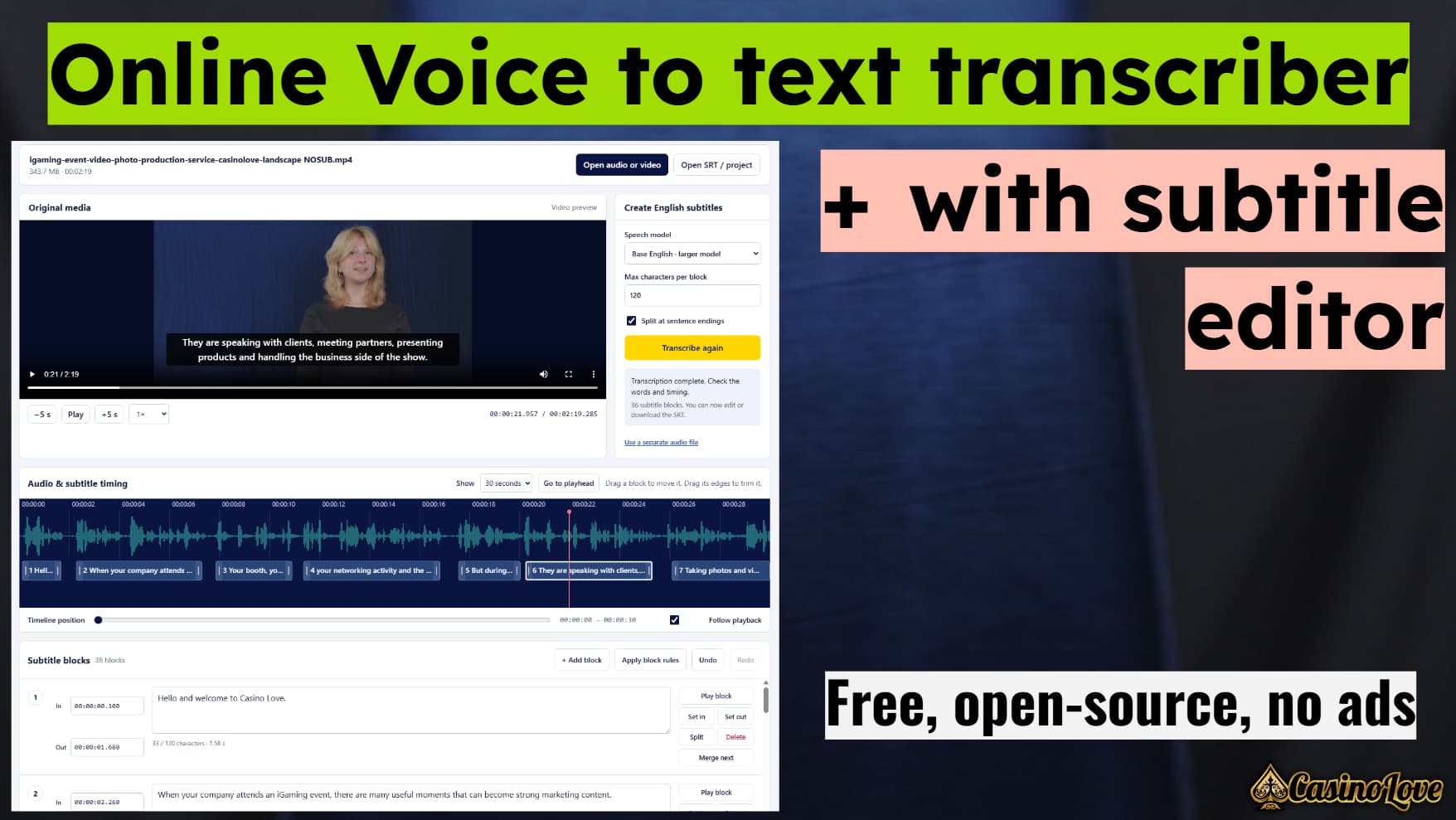
From a recording to an editable subtitle file
This tool brings speech recognition, media playback and subtitle editing into one browser page.
The app transcribes English speech. It can group words into complete sentences where possible and split longer sentences to fit your chosen character limit. You can then adjust every block yourself.
How it works
- Open your recording. Choose audio or video from your device. The player shows the original video when your browser supports its codec, with an audio waveform underneath.
- Transcribe English. Choose a speech model and set the maximum number of characters per subtitle block. The model runs on your device.
- Check and edit. Correct the text, move blocks on the timeline, drag their edges, or enter exact start and end times. Add, delete, split and merge blocks as needed. Undo is available.
- Download your subtitles. Export an SRT or plain text file. Save an editable project if you want to continue later. Keep the original media file with it.
Audio, video and subtitle files
| File | Use |
|---|---|
| WAV and MP3 | Read the audio, create a waveform and transcribe English speech. |
| MP4 and MOV | Read the audio track locally. Video playback depends on the browser’s support for the video codec. |
| SRT | Open existing subtitles, edit them and download the result. |
| Project JSON | Save and reopen your editable subtitle blocks. The media file is kept separately. |
Check the result before publishing. Speech recognition can make mistakes, especially with names, accents, background music and overlapping voices. Word timestamps are estimates. This app transcribes English; it does not automatically translate into other languages.
Runs on your device
Your audio, video and subtitle text are not uploaded. There is no transcription server, account system, advertising or analytics. The page only loads its own files and speech models from this website. The source code, libraries and models are all hosted locally.
The browser may cache speech models so you do not need to download them again. Only your model choice and subtitle preferences are stored automatically. Your transcript is not automatically saved. Use Save project before closing the page.
Browser and device requirements
Use a current desktop or mobile browser with WebAssembly, module workers and Web Audio support. Tiny English has approximately 43 MB of model files. Base English has approximately 79 MB. The shared speech engine adds approximately 22 MB. The optional local media decoder loads only when needed.
Speed and memory use vary by device. Keep the tab open and your device awake during transcription. On phones or older computers, start with Tiny English and a short clip. Files over 1 GB are not opened by this version, and smaller files can also exceed the memory available to a browser. A separate WAV or MP3 can help when a video is large or its codec is unsupported.
Open source and licensing
Copyright © 2026 CasinoLove Kft. The CasinoLove editor is released under GNU GPL version 3, without warranty. Its complete HTML, CSS and JavaScript source is included in the app page itself. The speech model and WebAssembly engines are separate files because of their size.
This app uses OpenAI Whisper, ONNX model conversions from Xenova, Transformers.js, ONNX Runtime and FFmpeg.wasm. Each component retains its original licence and notices. GPLv3 allows this release to include the Apache 2.0 dependencies.